I’m using newsletter provider X, but the email opt-in module is only for MailChimp or Aweber. How can I use my newsletter provider with the opt-in form?
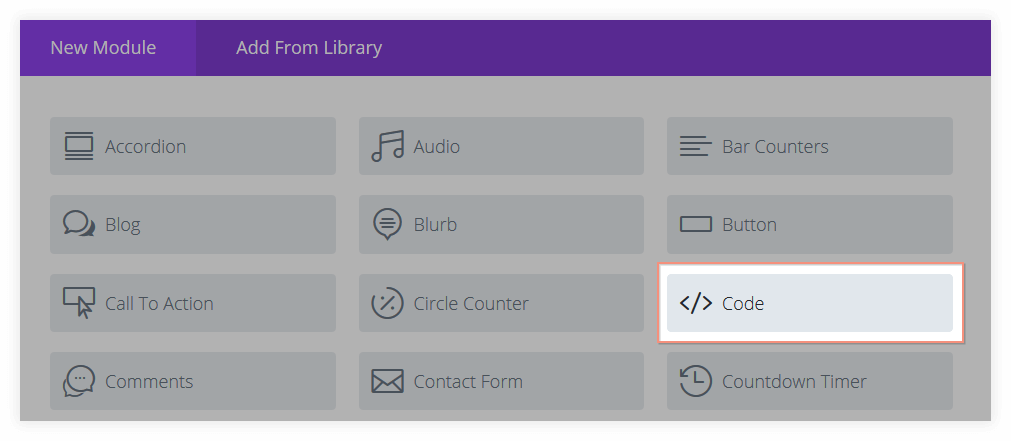
This is possible, but if you don’t use MailChimp or Aweber you need to use the code module instead of the email opt-in module.
There are many different newsletter service providers and it’s not feasible to support all of them out of the box. So that’s why Divi’s email optin module only works with the most popular ones.
But there’s a different way. Every newsletter provider has their own opt-in form that you can embed in your website. These forms all work in the same way: they collect some information (usually name and email), and when someone submits their info, they get added to your newsletter list.
Steps to put your email opt-in on your website
- Find your newsletter provider’s opt-in form (when you login to your account on their website you’ll find it there);
- Insert a code-module on your website where you want the opt-in to show;
- Copy the code of your email provider’s opt-in form into your code module.
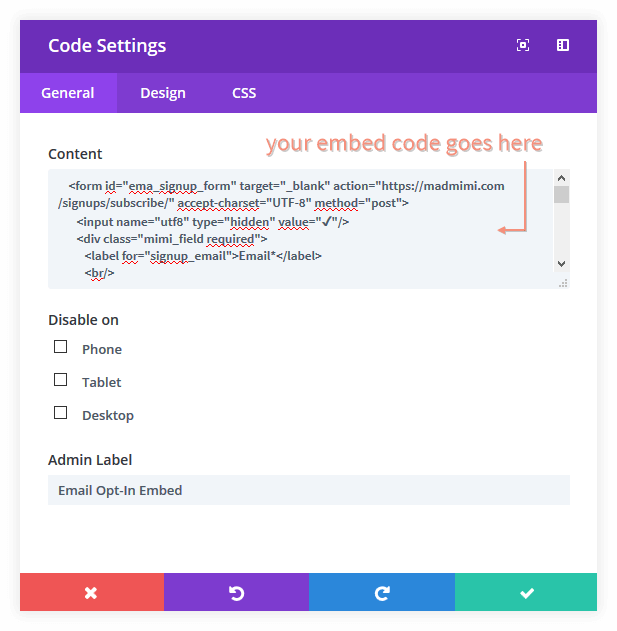
When you then save your page and look at it, the opt-in should show up.
I don’t like how my form looks
Depending on how your email provider has setup their opt-in form you may want to adjust the look of it.
For best results, we recommend to use your email provider’s plain embed code (they may call it differently, but it’s the one without styles applied). When you use an unstyled form, your email opt-in should get the style from your own website. Otherwise it will get whatever style your newsletter provider has given it, and that may not match your website style.
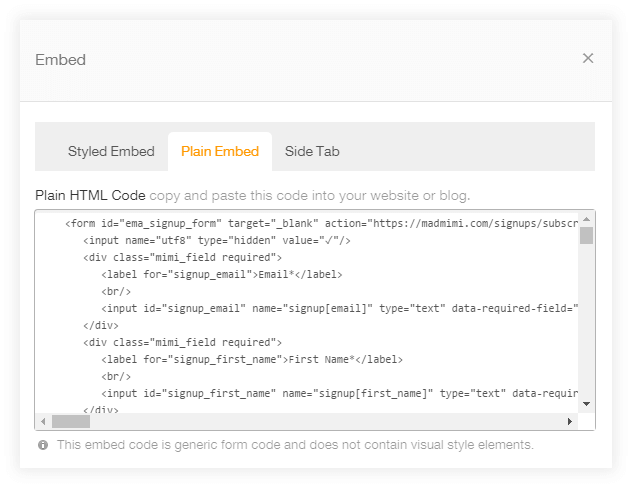
If you’d like to further adjust the look of your email opt-in form, it’s possible to do so by adjusting your form’s HTML and/or CSS code. It would need a little bit of custom work, but we can help you with that. Contact us for details.